
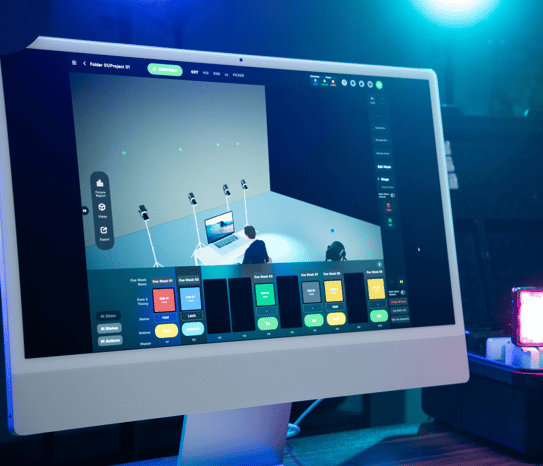
With version 2.4, Sidus Link Pro comes to Mac. Not as a companion app. Not as a stripped-down viewer. The same Sidus Link Pro you've been running on iPad. Now on your desktop with a mouse, a keyboard, and a bigger screen.
Same show files. Same 3D Visualizer. Same cloud syncing. But here's what changes: you sit at a desk. You have precision. You have focus. You have the real estate to design the way you actually want to design.
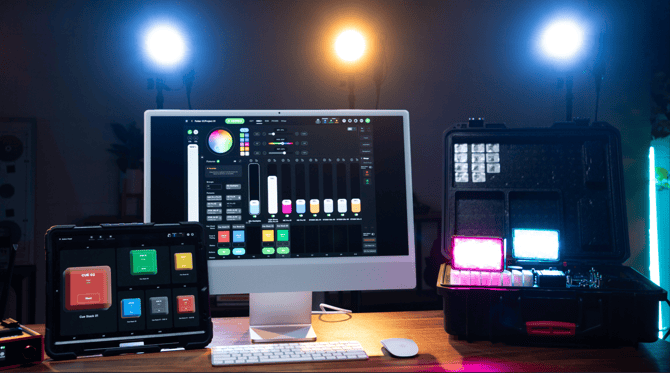
And this unlocks the workflow that changes everything: design on Mac, sync to the cloud, deploy to iPad, run from Action Panel. Pre-production at your desk. On-set execution in your hands. A clean handoff to whoever is running the show.
System Requirements
Mac OS Support requires Apple Silicon. M-series Macs (M1, M2, M3, M4) are supported. Intel-based Macs are not supported. Requires macOS version 13.4 or later.
Download from the Mac App Store or search for "Sidus Link Pro" directly in the Mac App Store.
Same App, Bigger Screen
This is not a companion app. Every feature you use on iPad is here on Mac. But the desktop changes how you work.
Mouse precision. Forget the fingertip. Dial in fixture positions in Diagram Master with a cursor. Drop lights into 3D Visualizer with accuracy. Walk through Fixture View at your desk the way you actually want to. Design is faster. Design is better.
Keyboard shortcuts. 100+ shortcuts ship with version 2.4. Your hands stay on the keys for the detailed work, swapping views, recording cues, labeling fixtures. Console programmers will recognize this immediately.
-
For the full list, see the Keyboard Shortcuts article.
The Complete Workflow: Design → Sync → Deploy → Execute
Build the show on Mac at your desk. Walk into the studio. Open the iPad. The show is already there. No exporting. No transferring. No version-juggling. The cloud handles it.
This is the workflow that unlocks the full power of Action Panel:
-
Design on Mac. Patch your fixtures. Build your cue stacks. Configure DMX output. Lay out your 3D Visualizer scene at your desk with mouse precision. Do the detailed work right.
-
Sync. The show file syncs automatically through the cloud to your iPad. You don't do anything. It just happens.
-
Deploy on iPad. Walk into the studio with the show already built. Drop the iPad into Action Panel. Lock it with a 6-digit passcode.
-
Run from Action Panel. Hand the iPad to whoever is operating the room. They tap the buttons you built. They run the show. They cannot change the show.
Pre-production on the desktop. On-set execution on the iPad. A clean operator handoff at the end.
What's Free on Mac and What's Pro
Mac OS Support is free on every plan. Download Sidus Link Pro on Mac and use it for Bluetooth control, fixture management, and reviewing your 3D Visualizer.
Pro-level capabilities require a Pro or MAX plan, the same as on iPad:
- DMX output (sACN and Art-Net)
- Multi-universe control (1 universe on Pro, 4 universes on MAX)
- The full 3D Visualizer toolset
- Action Panel
A single Pro or MAX subscription covers both Mac and iPad. One seat. Two surfaces.